



 Heritage Bank of the Ozarks
Mobile Banking with Confidence
 Heritage Bank of the Ozarks
Manage your money anytime, anywhere with the Heritage Mobile Banking App. Fast, free, secure—and made for life on the go.

On your desktop or tablet, at the very top of our website, click on "Open An Account."
On mobile devices, click the menu, then select "Open An Account."
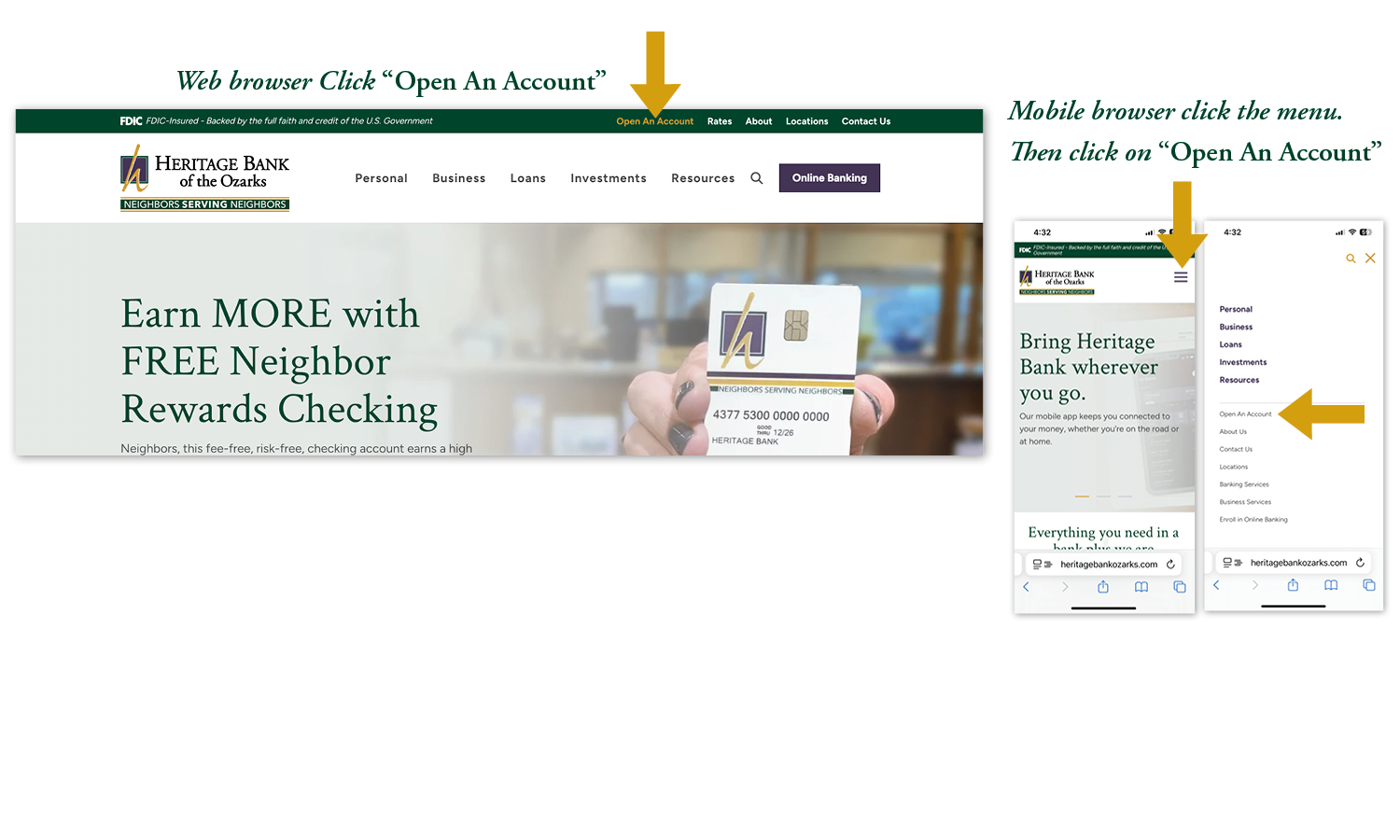
On your desktop, tablet or mobile device, click on one of the two options to open the account you need.
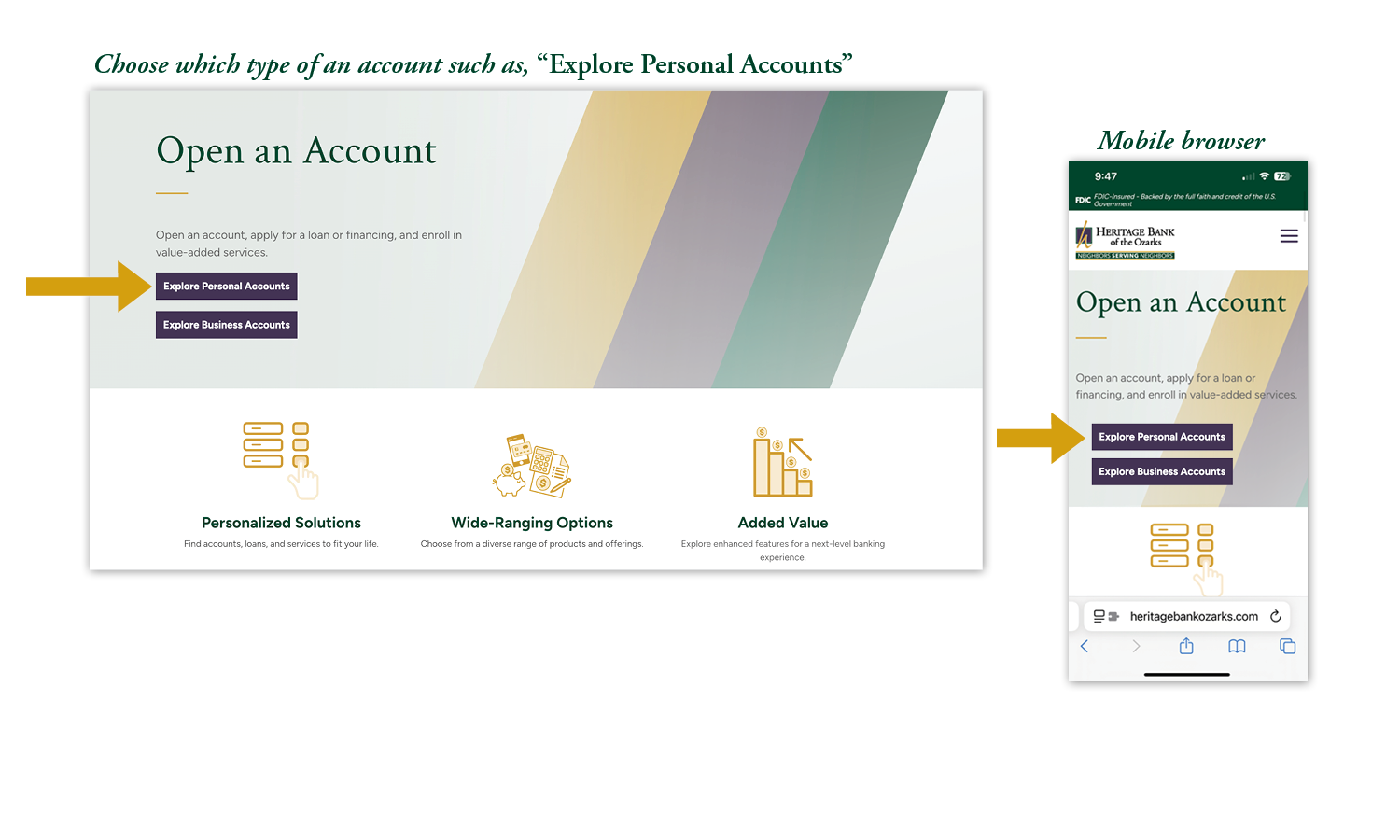
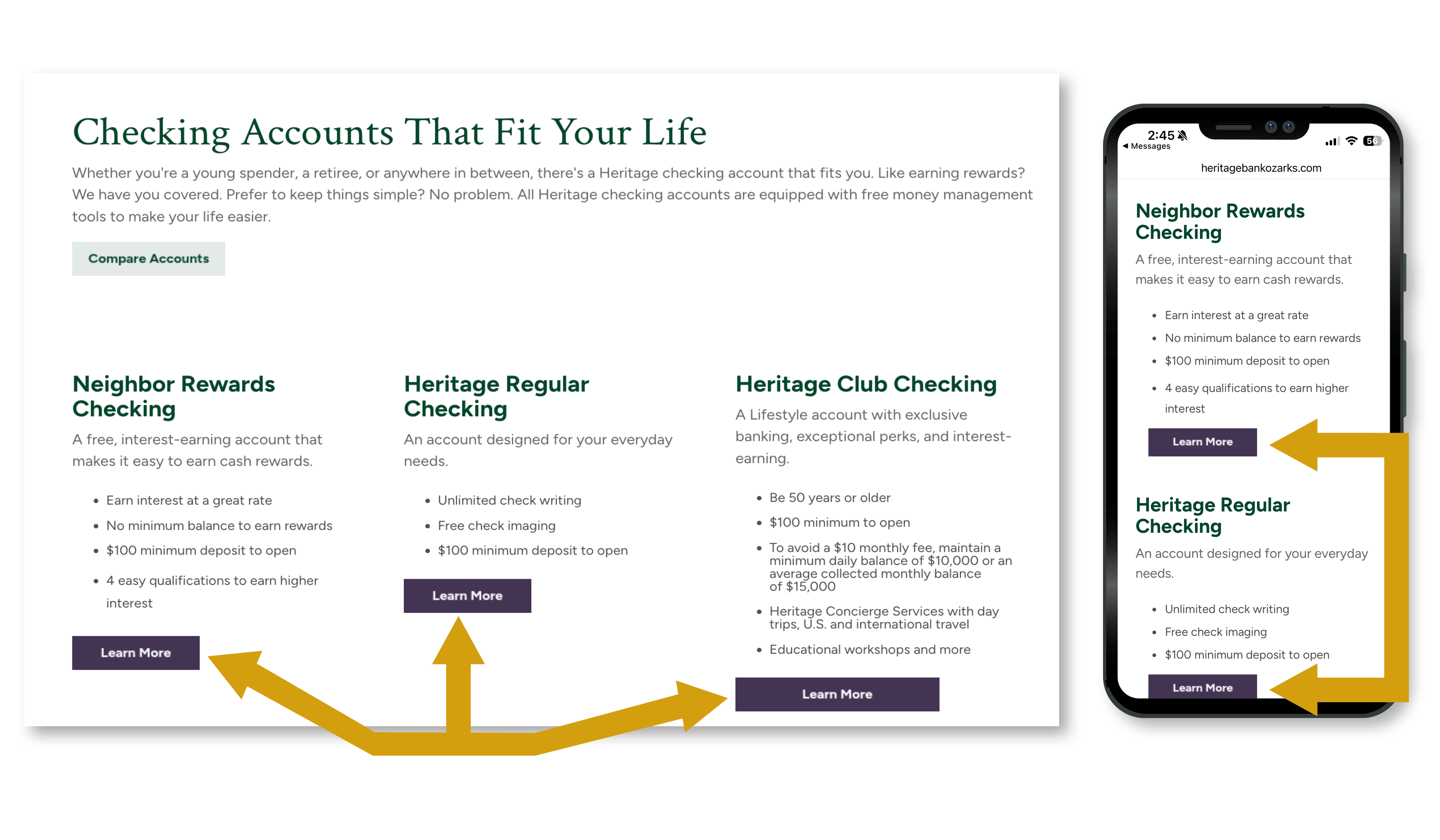
Review the account options available and select the one that best fits your needs. Each account type includes a brief overview outlining its key features and benefits. To explore an option in greater detail—including eligibility requirements, account features, fees (if applicable), and additional services—click the “Learn More” button associated with that account. This will take you to a dedicated page with comprehensive information to help you make an informed decision before beginning the application process.
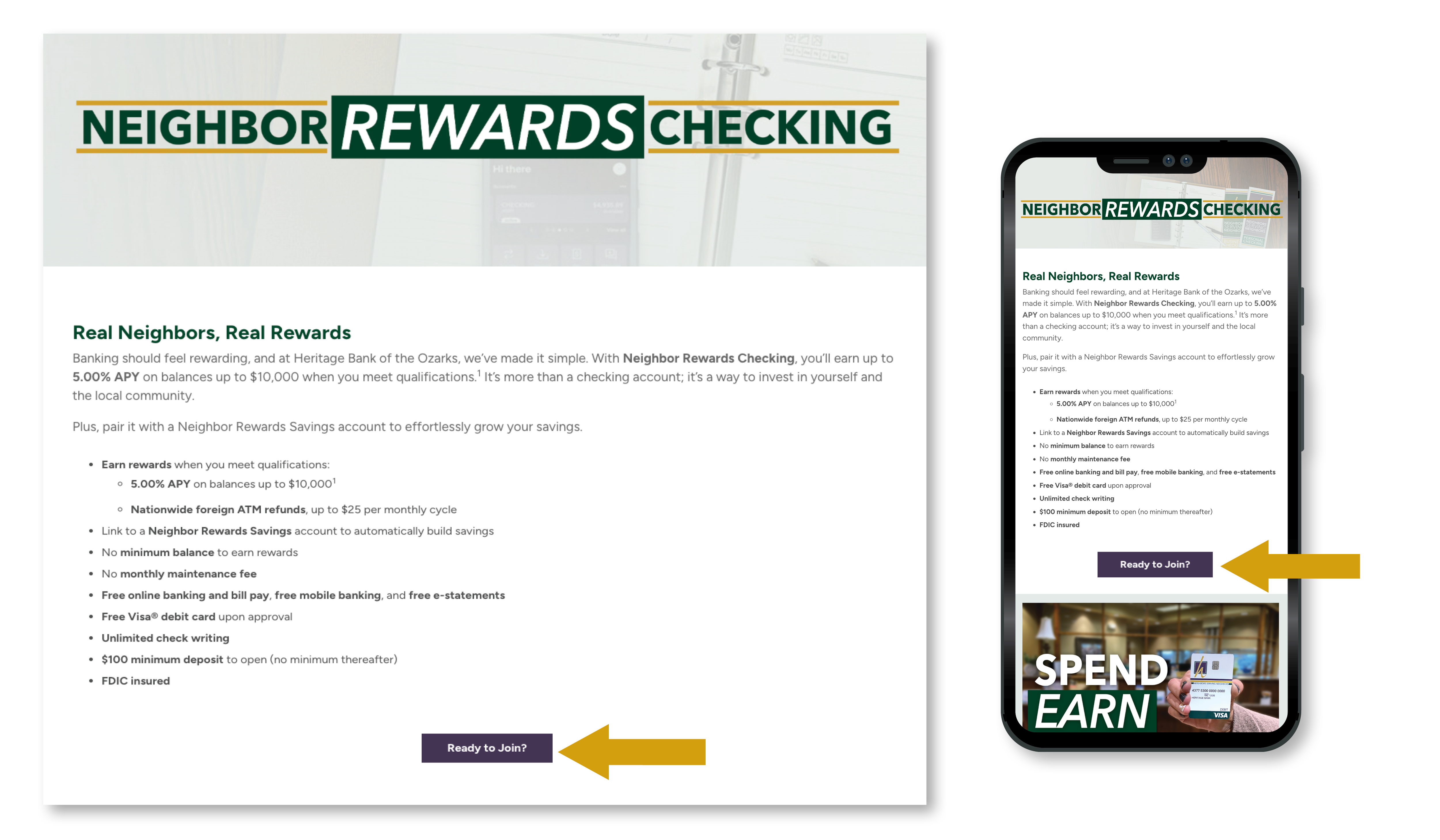
In this example, the selection is our Neighbor Rewards Checking, including all its details. If this is the account you would like to open, click the "Ready to Join" button.
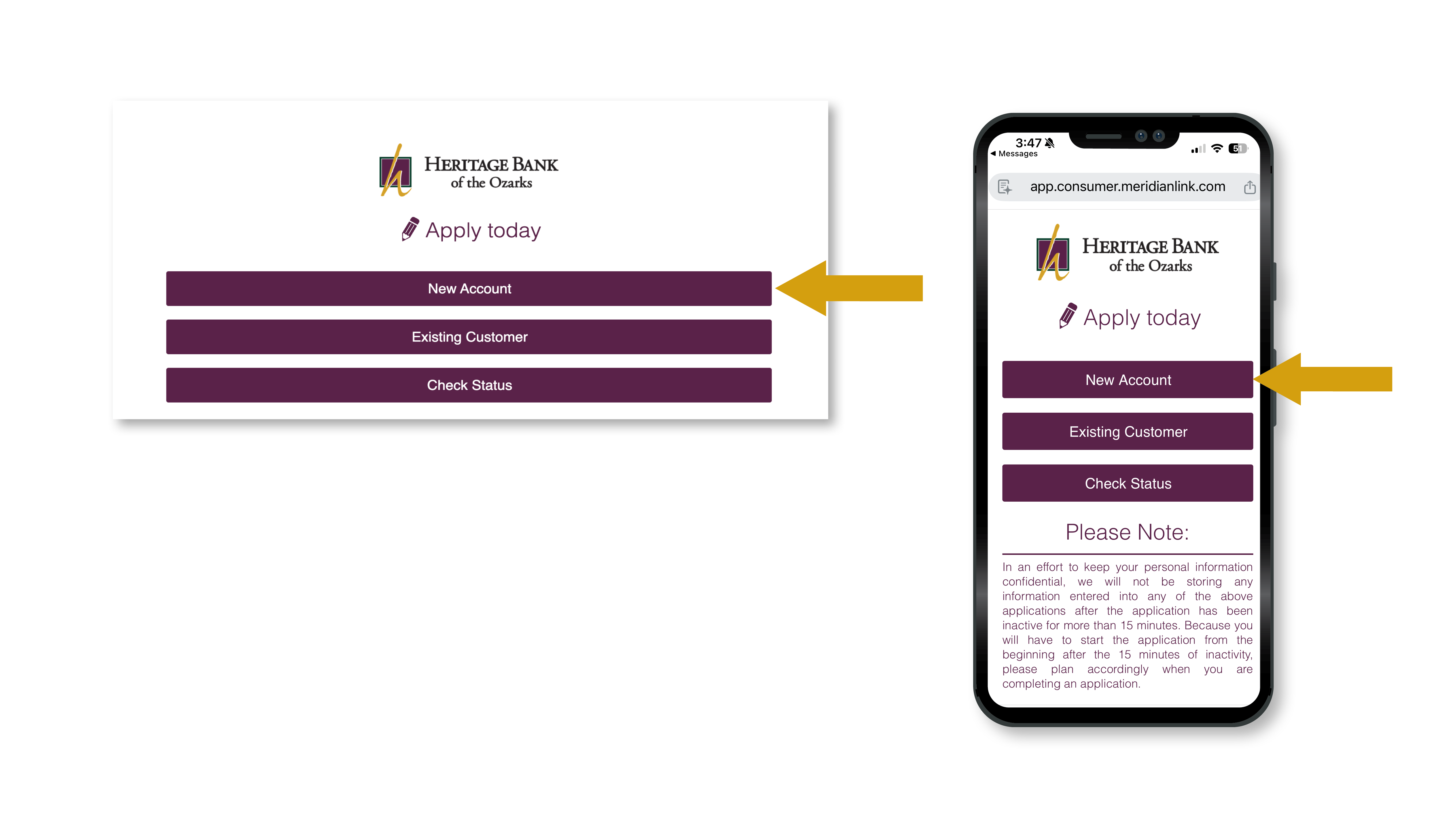
The next page will open the secure online application portal. At the top of the screen, you will see three selection buttons that guide you to the appropriate starting point. If you are opening your first account with us and do not currently have any existing relationships, choose “New Account.” If you are already a Heritage Neighbor, select “Existing Customer.” If you have previously submitted an application and would like to review its progress, click “Check Status” to view the current status of your account opening request.
You will notice that the website link will no longer include "heritagebankozarks.com". It will become a "https://app.consumer.meridianlink.com/" URL. This is a banking partner of ours that keeps customer information safe.
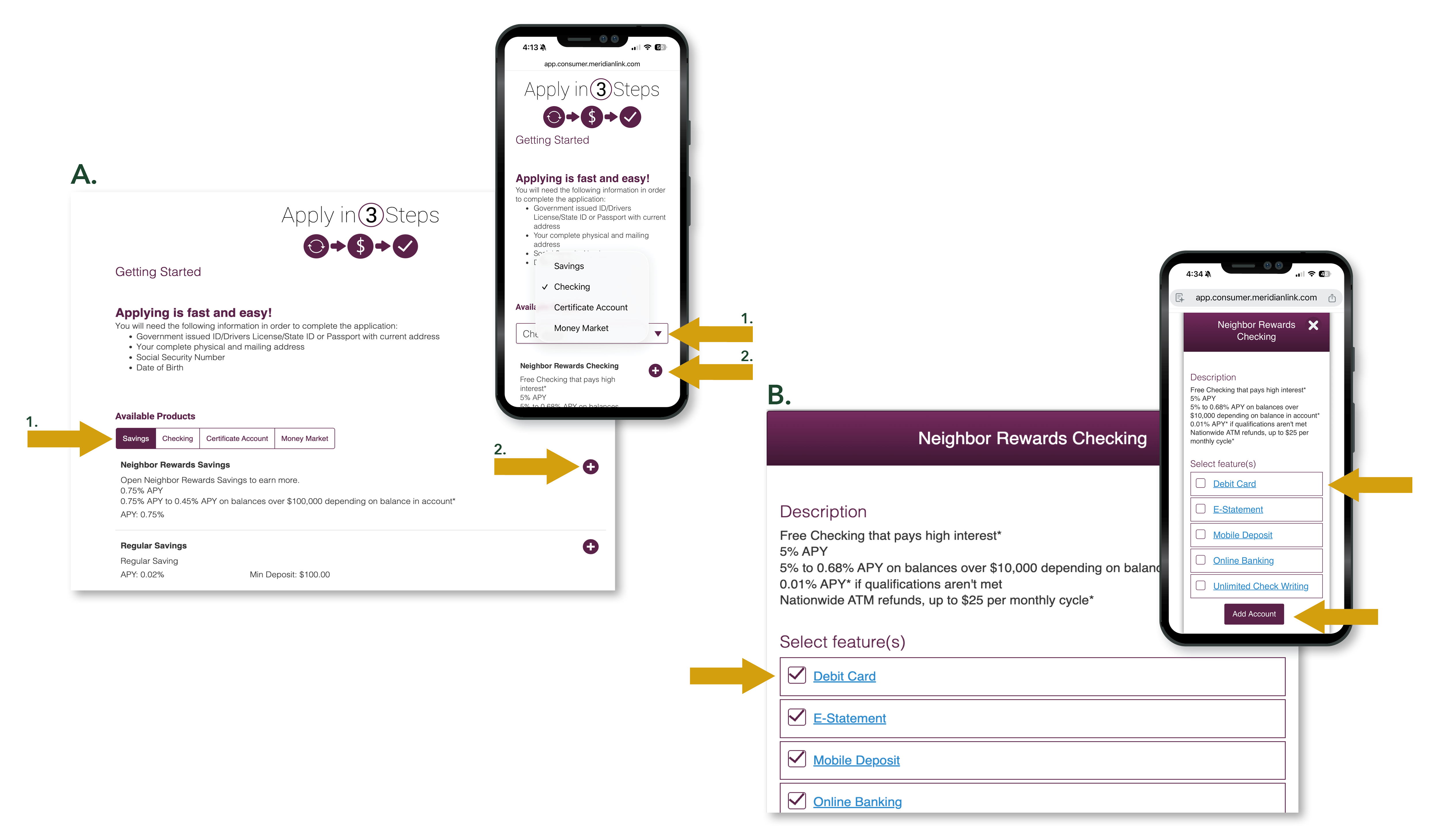
When selecting the Neighbor Rewards Checking account, first select "Checking," then select the "+" button. After those two selections, a pop-up window will open, showing options you can add to your account. At least one of those selections must be checked in order to select "Add Account."
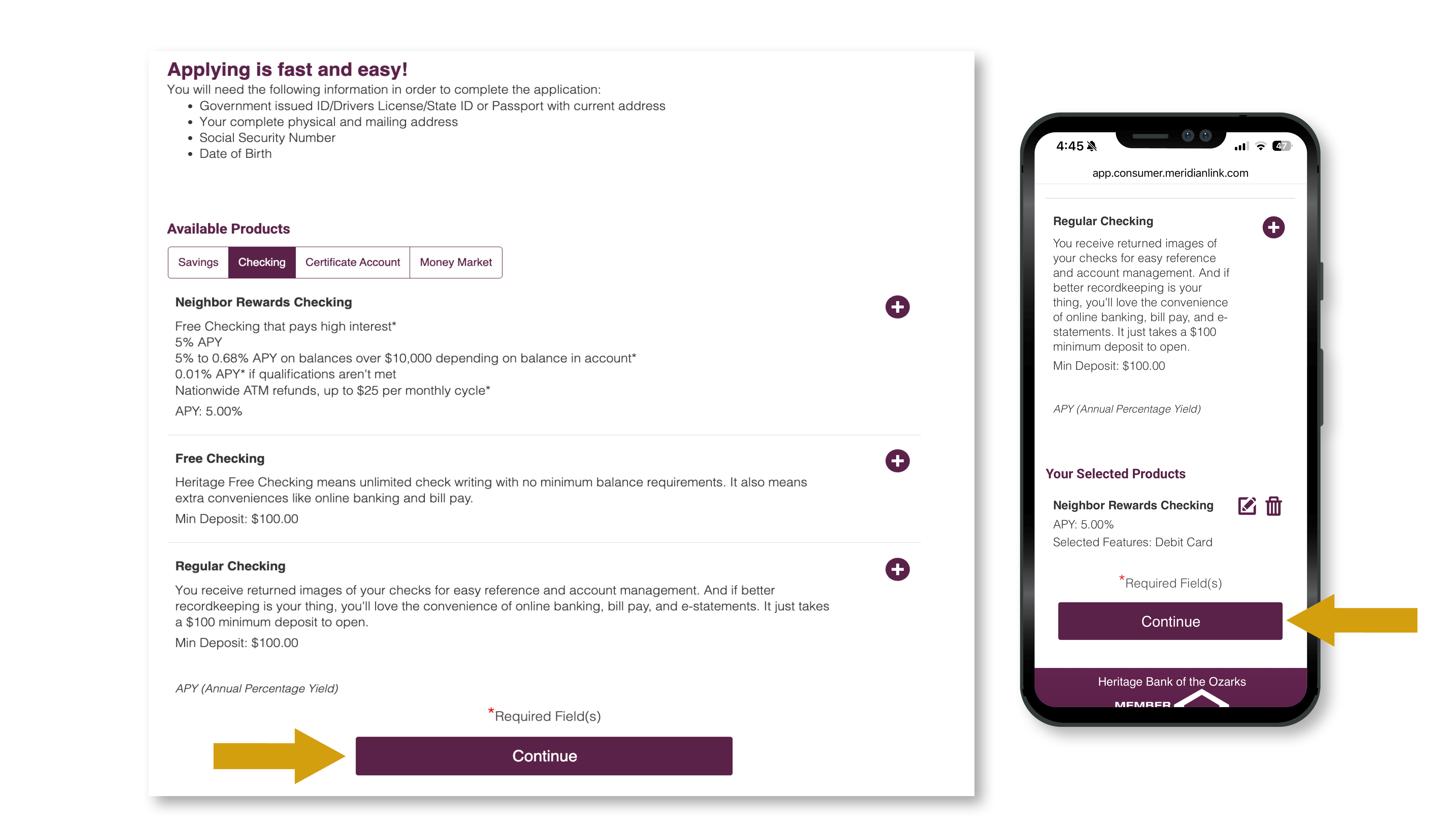
To complete your account choices, select "Continue."
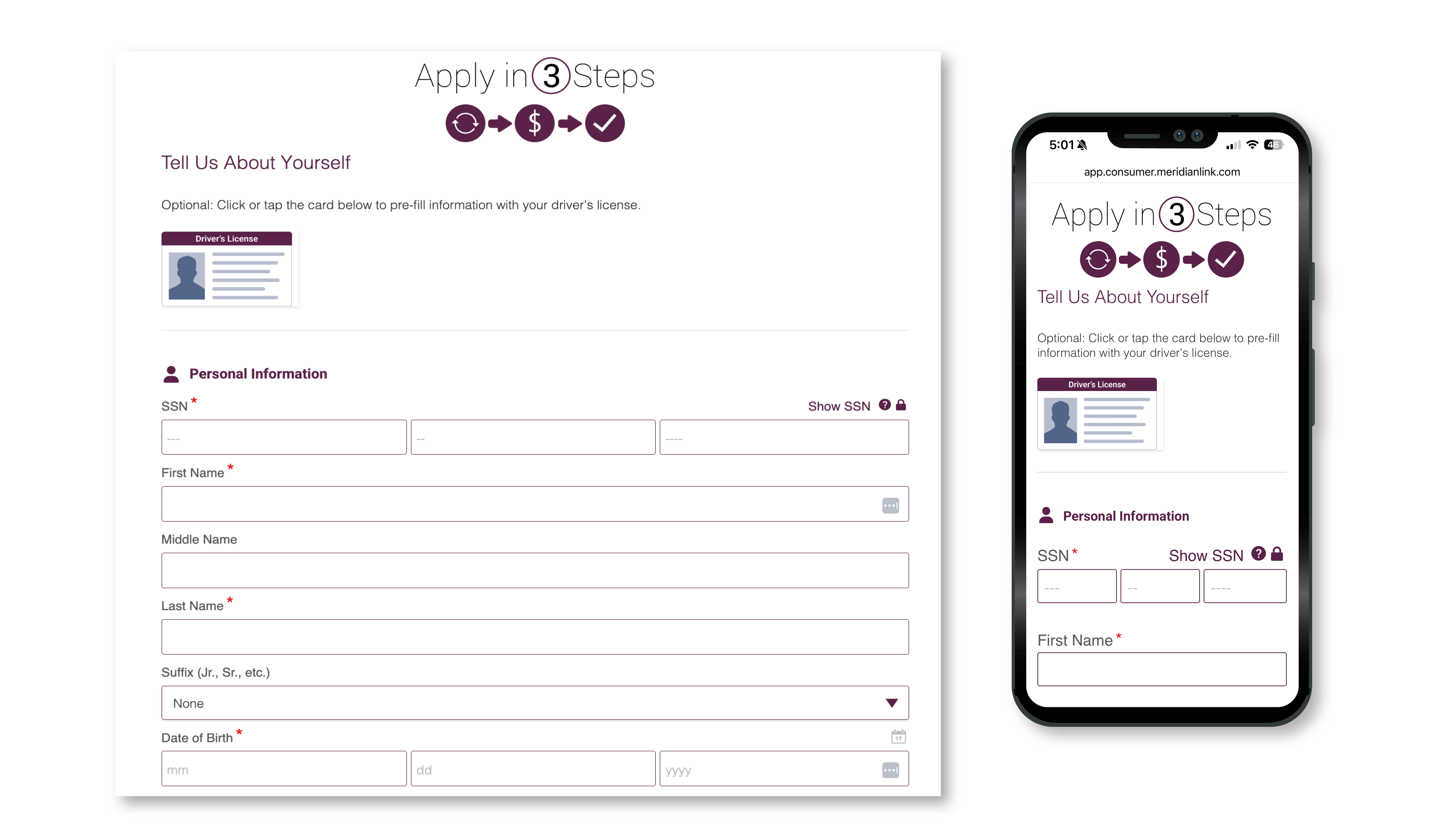
To finalize opening your account, you will need to submit your Social Security number and other personal information on our secure site.
Reminder, the link will start with "https://app.consumer.meridianlink.com/", ensuring you are still on a secure website.
If at any time you feel uncomfortable entering personal or sensitive information online, please call the main bank number at 417-532-2265 to ask questions.
Application Confirmation
We will contact you by phone to confirm the details of your application and answer any questions you may have.
Debit Card Delivery Options
During the call, we will ask how you would like to receive your debit card. You may choose to:
Account Documentation
If you have any questions at any point in the process, our team is happy to help.

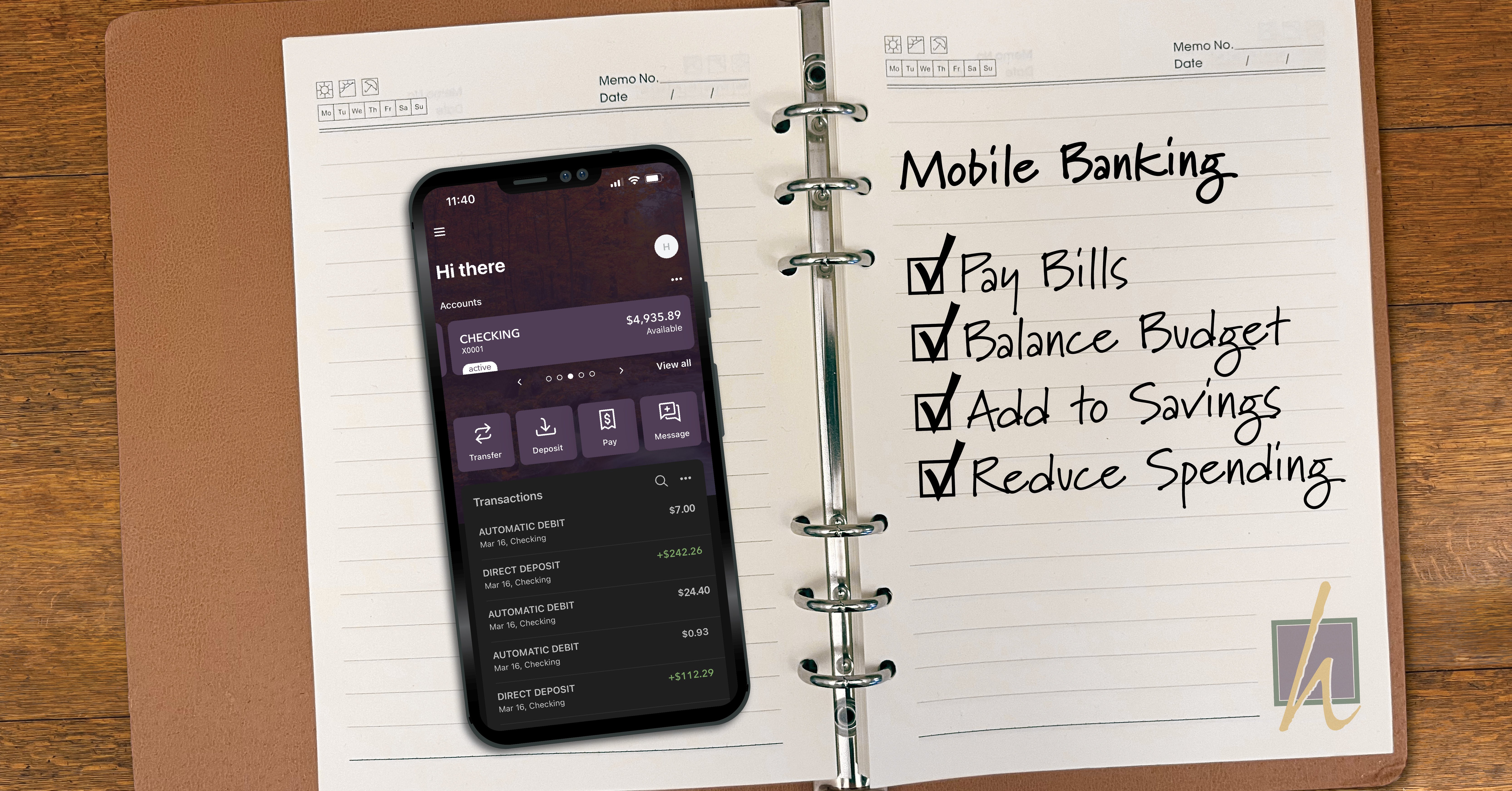
Manage your money anytime, anywhere with the Heritage Mobile Banking App. Fast, free, secure—and made for life on the go.
.jpg)
Start reaching your financial goals in 2026 with Heritage Bank's 3 simple steps: assess your current finances, set a realistic goal, and seek advice...
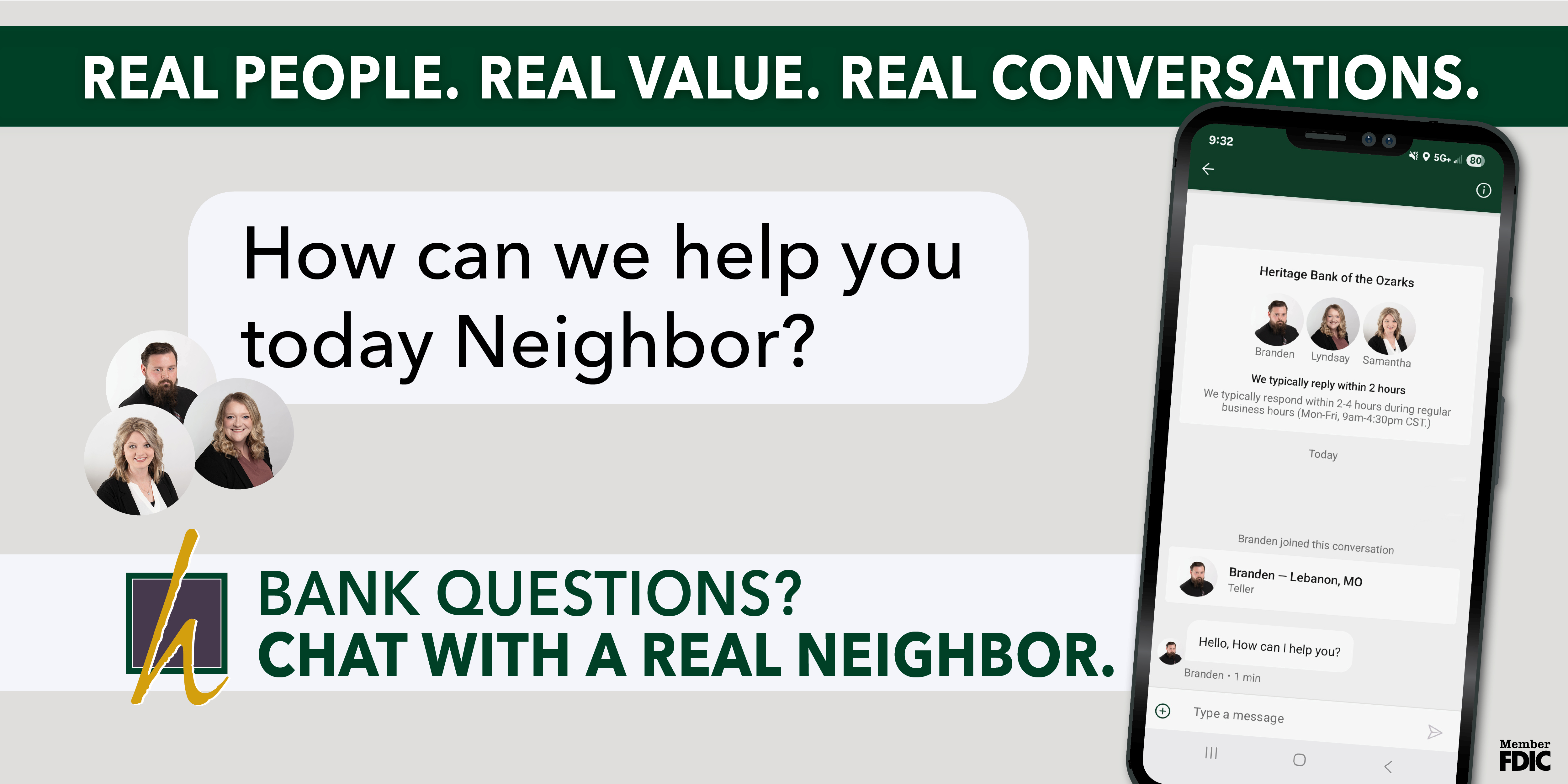
Thinking about upsizing your home? Heritage Bank of the Ozarks makes moving easier with expert mortgage help, neighbor to neighbor.